SEATBACK · FILMS · MUSIC · MOVING MAP
Cabin Entertainment
The seatback entertainment system, on a tablet or a PC. Choose a language, then watch films and series, listen to music and follow the flight on the moving map.
v1.2 · Android 7.0+ tablet or phone · Windows 10 / 11 PC (64-bit)
FEATURES
Everything a passenger finds on the seatback
Welcome in eight languages
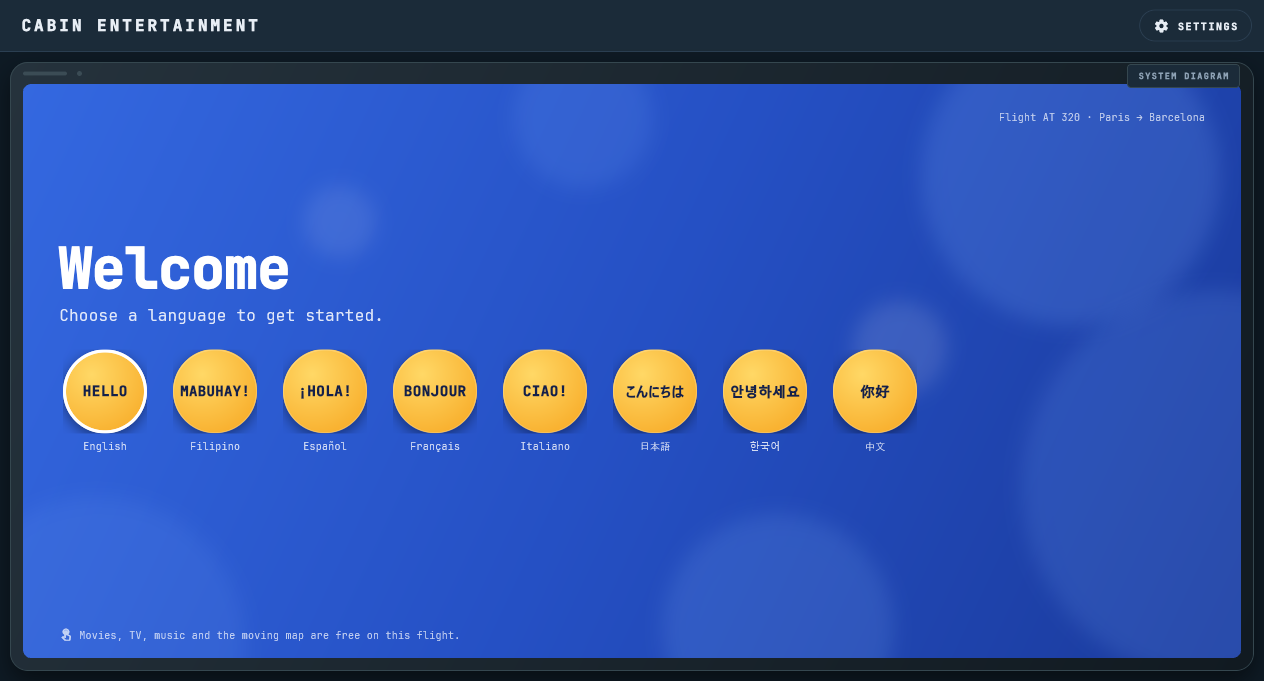
Like a real seatback after boarding: a welcome screen with round greetings (Hello, Mabuhay!, ¡Hola!, Bonjour, Ciao!, こんにちは, 안녕하세요, 你好). The home screen then greets the passenger in that language.
Films and series
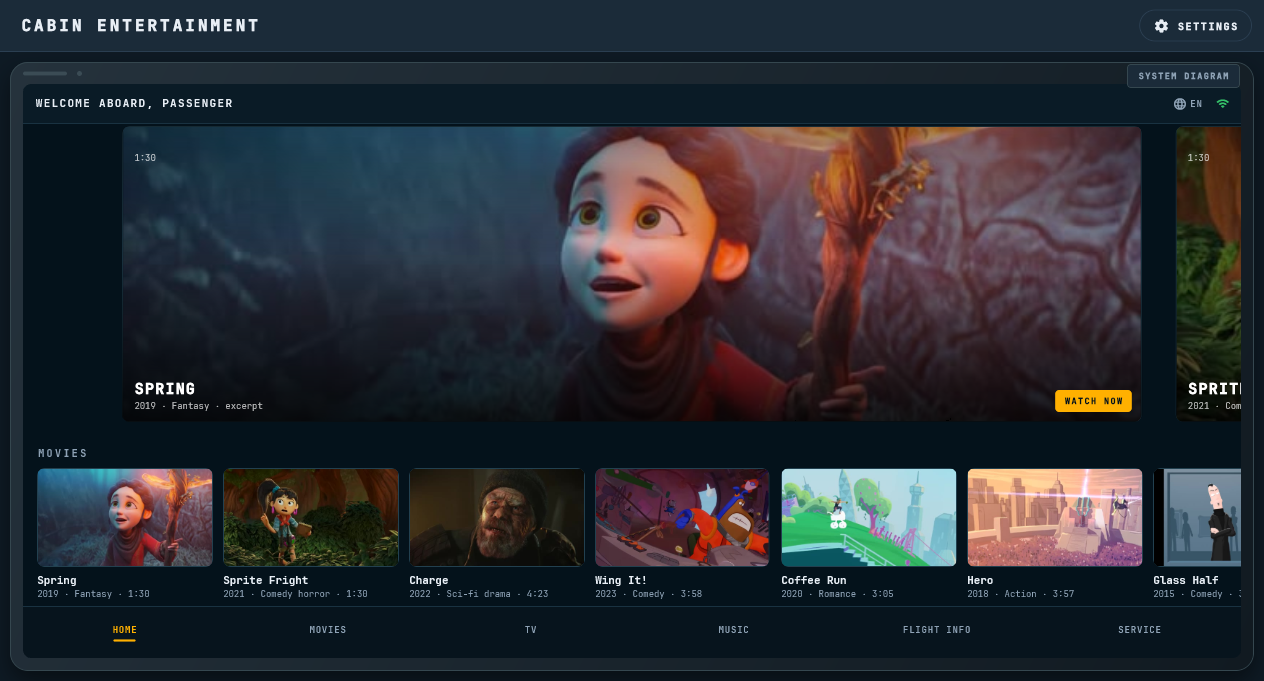
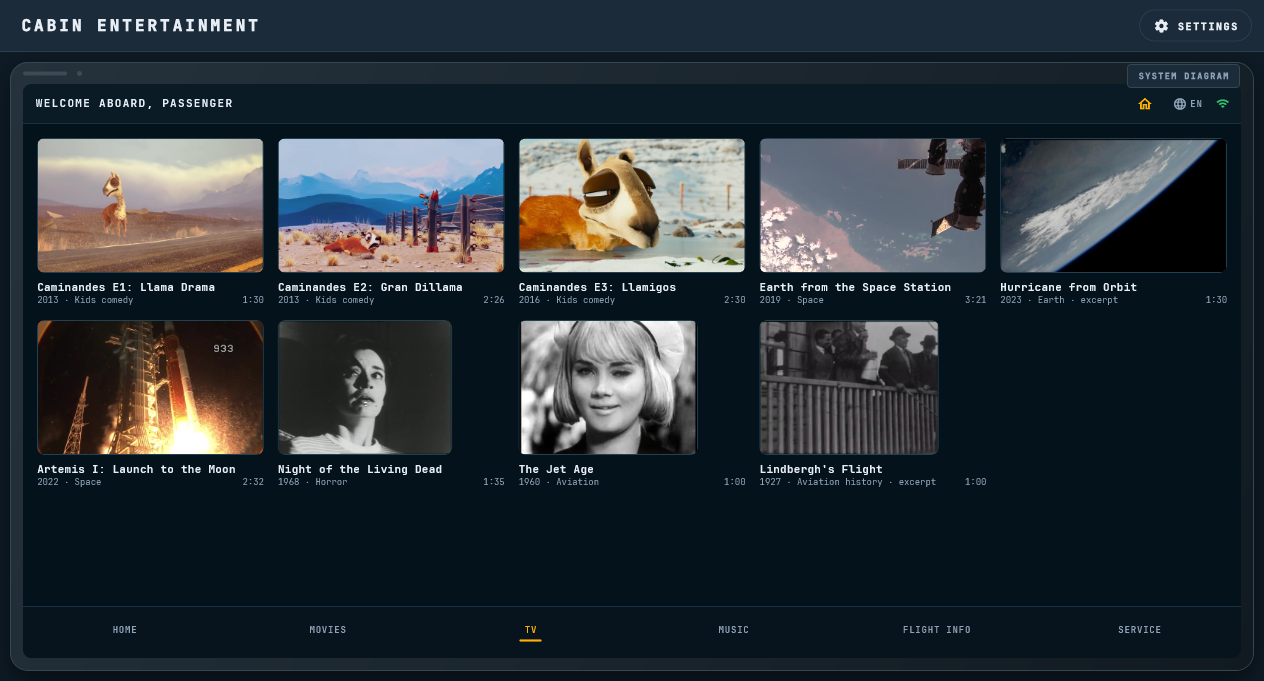
A streaming-style home with Movies, Series, Documentary and Classics shelves: open movies such as Spring, Sprite Fright and Tears of Steel, the Caminandes series, NASA documentaries and classics. Films start the moment you tap them.
25-song music library
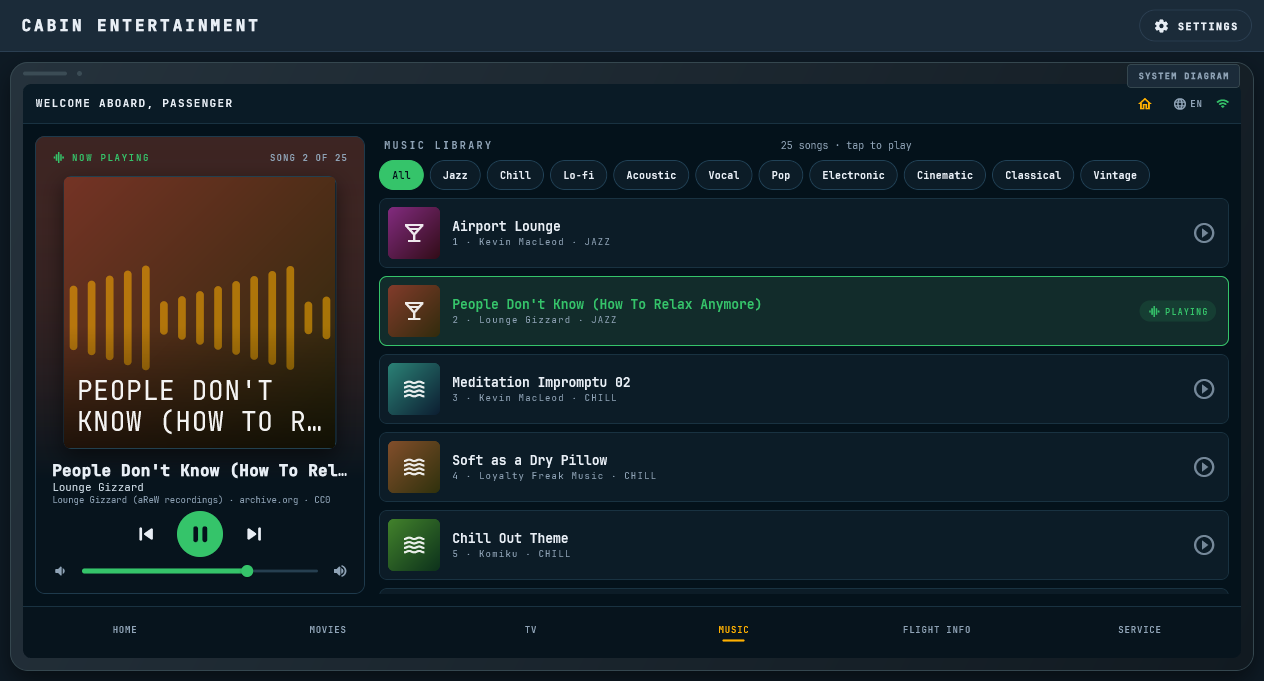
Jazz, chill, lo-fi, acoustic, vocal, pop, electronic, cinematic, classical and vintage songs. Genre filters, play / pause / next / previous, volume, and the next song starts by itself.
Moving map
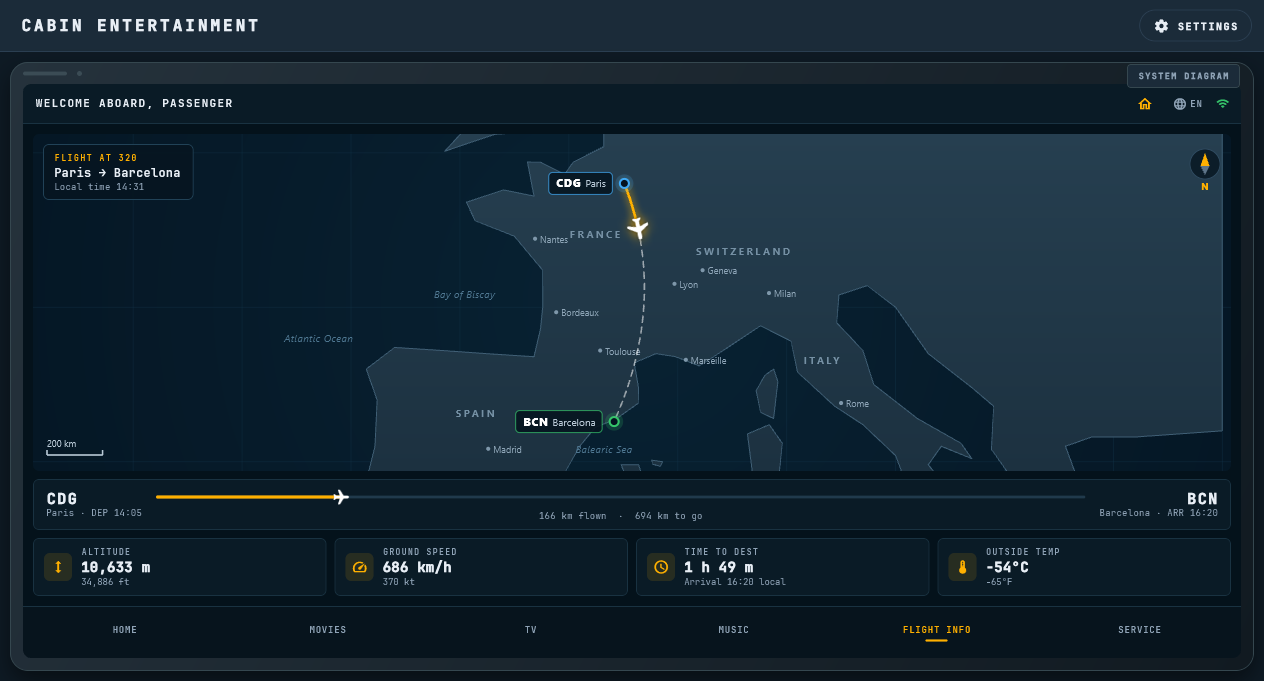
Flight Info shows the flight from Paris to Barcelona on a map of France, Spain and the Mediterranean, with departure and arrival times, distance flown and to go, altitude, ground speed and outside temperature.
Seat service and system diagram
Call the attendant or switch the reading light, and open a schematic of how a cabin entertainment system is wired, from the control panel and head-end to every seat.
License code, offline use, automatic updates
Activate once with a license code (CABIN-xxxxxxxx, one device at a time); after that everything works offline. When the device is online, the app checks for a new version at start (and from SETTINGS) and installs it in place.
USER MANUAL
How to use Cabin Entertainment
User Manual (PDF)
Installing on Android and Windows, the welcome screen and languages, home, movies and TV, the film player, the music library, Flight Info, Service, the system diagram, SETTINGS and updates, and the credits and licences of every film and song.
SCREENS
A closer look
Android APK · v1.2
DOWNLOAD
Scan to install on your device
- 1Scan the QR code with the tablet or phone (or tap DOWNLOAD APK).
- 2Open the downloaded file. If Android asks, allow "Install unknown apps" for your browser.
- 3Tap Install, open Cabin Entertainment and enter your license code (CABIN-xxxxxxxx; internet needed once).
- 4Pick a language and enjoy the flight.
WINDOWS
Install on a Windows PC
- 1Download the Setup file and run it.
- 2If Windows SmartScreen appears, choose "More info" then "Run anyway" (the installer is not code-signed).
- 3Open Cabin Entertainment from the Start menu or the desktop and enter your license code.
IMPORTANT NOTICE & DISCLAIMER
This software (Cabin Entertainment) is developed by Overdrive Interactive for academic, familiarization, and educational training purposes only.
- 1.NOT AN AIRLINE OR AIRCRAFT SYSTEM: Cabin Entertainment is not certified by Airbus, FAA, EASA, CAAP or any civil aviation authority and is not part of any aircraft or airline entertainment system.
- 2.NO AFFILIATION: "A320" and related aircraft trademarks belong to Airbus. Overdrive Interactive is an independent entity with no official endorsement or affiliation with Airbus or any airline.
- 3.SIMULATED FLIGHT DATA: The moving map, flight times and readouts are simulated for demonstration. Never use them for flight planning or navigation.
- 4.LICENSE: Cabin Entertainment needs a license code (CABIN-xxxxxxxx). Activation needs an internet connection once; each code works on one device at a time.
- 5.OPENLY LICENSED CONTENT: All films and music are Creative Commons (CC BY / CC0) or public-domain works. Each title shows its credit on screen, and the full list of sources and licences is in the user manual.